VidSell People is your own micro-CRM built right into your video business. Here is where you can manage all of the people that you interact with through in-video forms, Flows, and your Engage Area.
Audience Segments
All of the people in the People area can be easily segmented into simple, dynamic audience segments to help you better understand specific areas of your business's performance.
Create a New Segment
To create a new segment click the "+ Segment" button, enter a name for your segment, and choose your segment conditions.
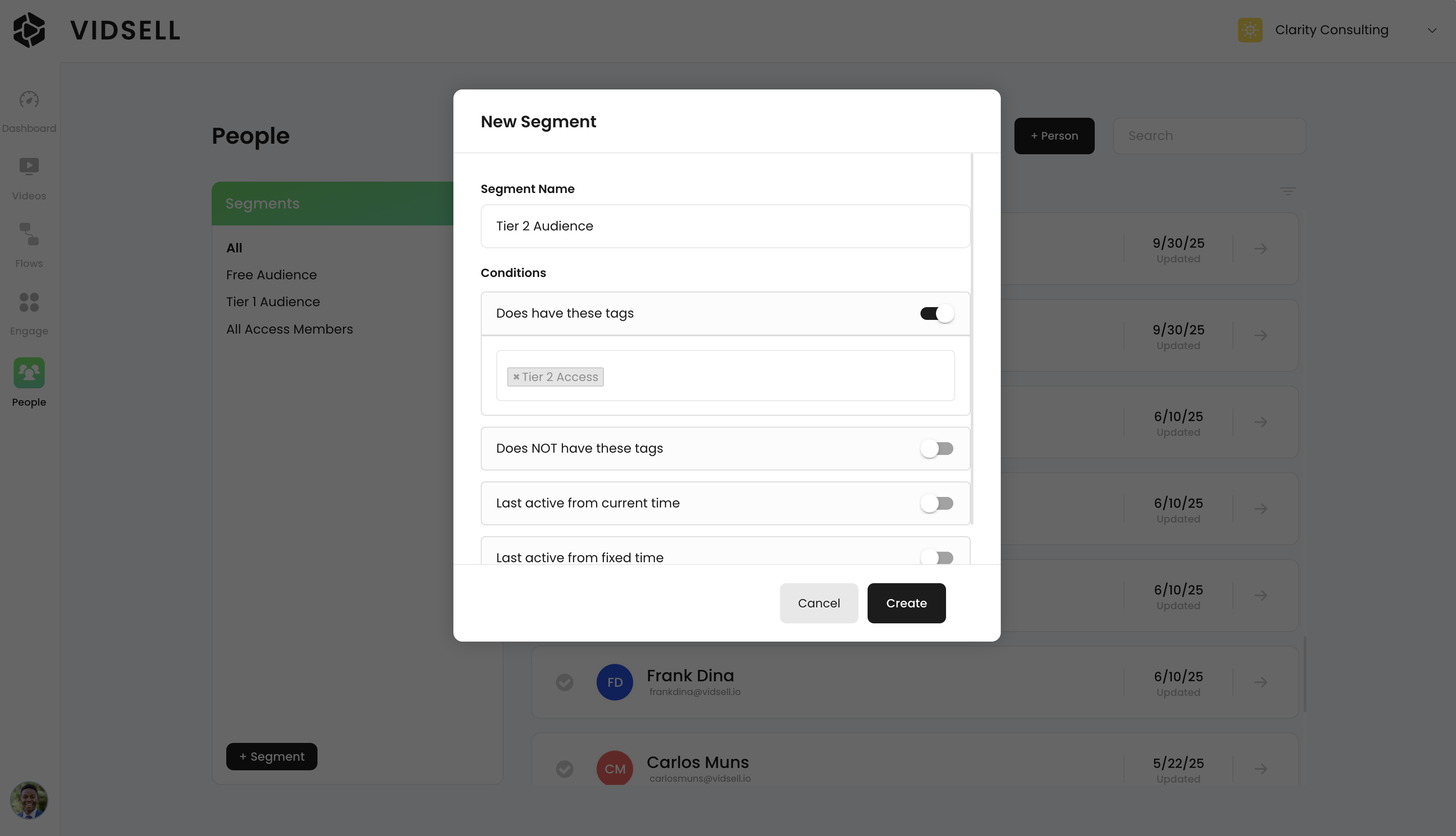
Segment Conditions
Your segment conditions allow you to customize your segments based upon the following parameters:
- Does have these tags - Include in a segment only people who have one or more specific tags. (Ex. Include people who have the "Purchased this Product" tag in a segment identifying new purchasers.)
- Does NOT have these tags - Exclude people from a segment that have one or more specific tags. (Ex. exclude people who have the tag "Free Signups" in a segment identifying new purchasers.)
- Last active from current time - Include people in a segment only if they were active last from a certain amount of hours, days, or months from the current date. (Ex. people who have signed up for a course in the last 30 days).
- Last active from fixed time - Include people in a segment only if they were active last from a fixed date and time. (Ex. people who signed up for a course after March 15th) This option includes filtering by On, Before, After, or Between certain date ranges.
Note: "Activity" for segments refers to actions taken within Engage, as well as interactions with Videos and Flows.
People Details
Every person in the People Area has further details you can see about them to understand where they came from, and the actions they have taken in your video business.
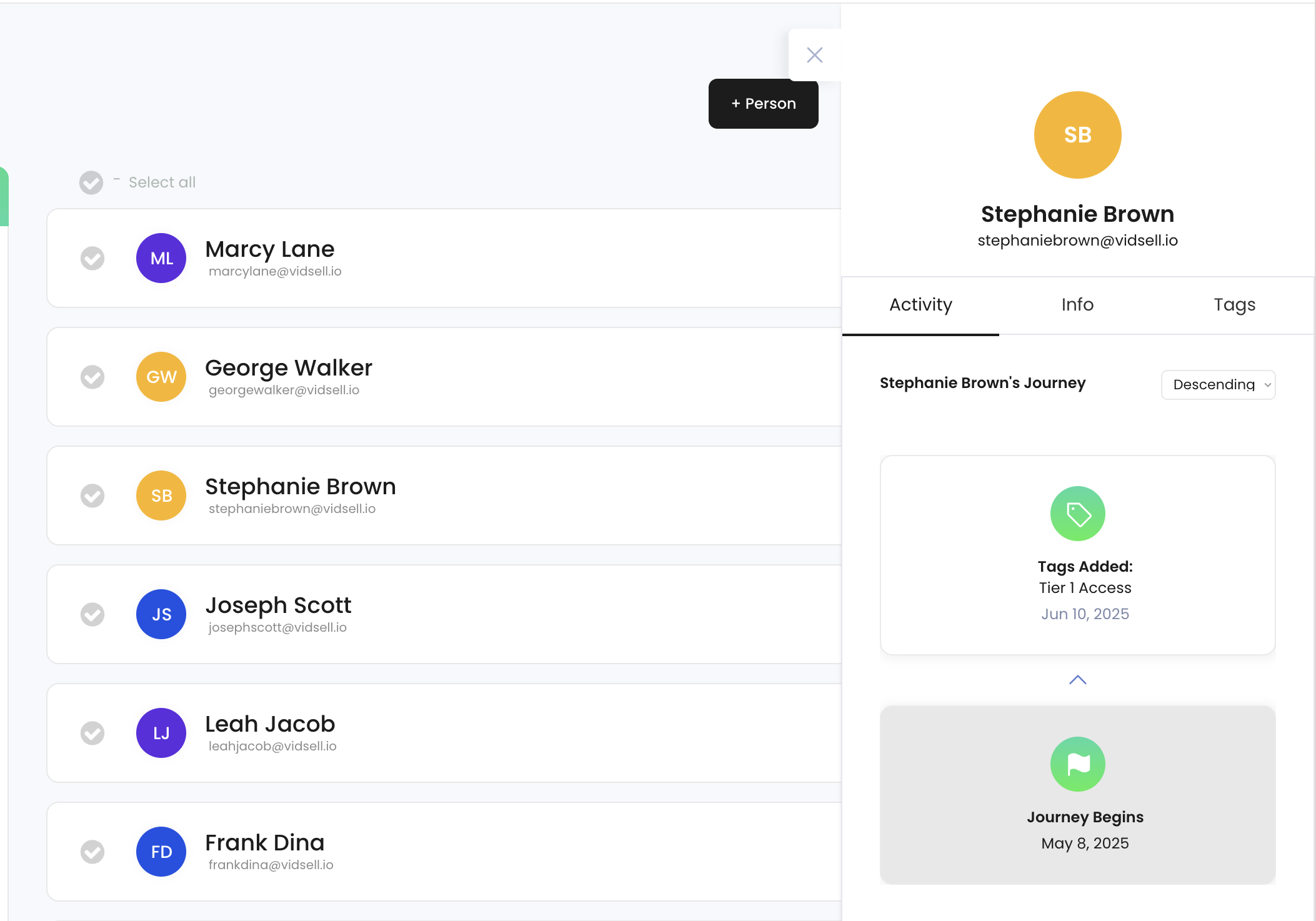
Activity
Activity shows a detailed user journey for each person with what tags have been applied, what offers they have opted into, and what purchases they have made.
Info
People info shows any data available about a person that can be gathered through opt-in or purchase forms (excluding credit card information) like name, email address, phone number, and business address.
- View lets you see the information available for a person.
- Edit lets you change the information recorded for a person.
- Notes allows you to add any additional notes for a person like special order details etc.
Tags
Tags shows any tags already applied to a person and also allows you to add or remove tags.
Bulk Actions
Bulk actions in the People Area are actions you can perform that affect multiple people at the same time.
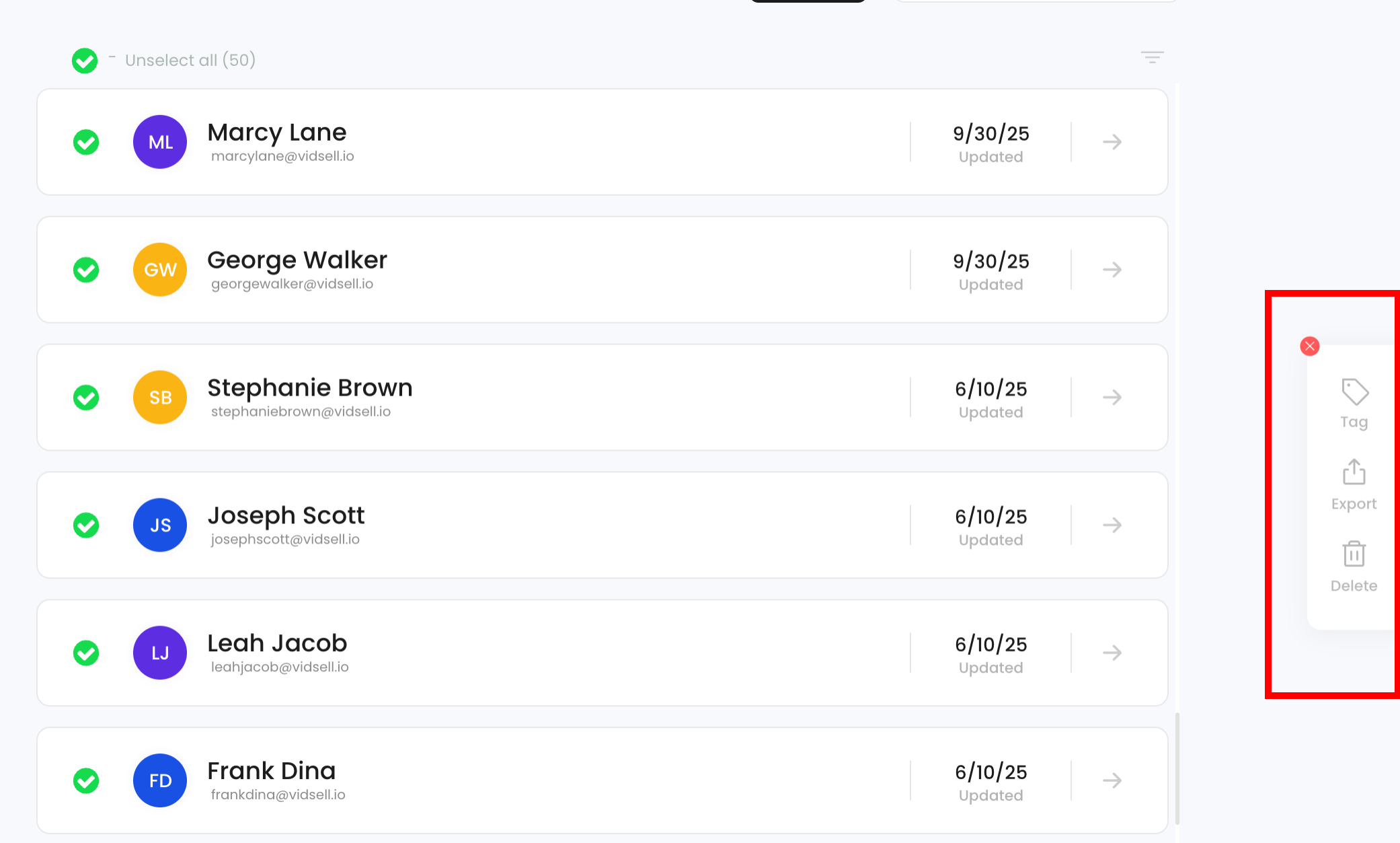
Tag
The bulk tag action lets you add or remove tags from multiple people at one, allowing you to do things like easily update audience segments with one action.
Exporting Data
People data can be exported via CSV file for use in outside platforms like autoresponders or CRM's, or for record keeping outside of VidSell. For more ways to interact with 3rd party platforms, see our Getting Started Course video on tags and automations.
Delete
You can bulk delete multiple people from the People Area with this option.