VidSell's AI Course Generator helps creators and businesses spend less time planning and structuring their courses, and more time focused on the parts that matter most: creating the content that your audience will actually listen to.
Add a new AI Course
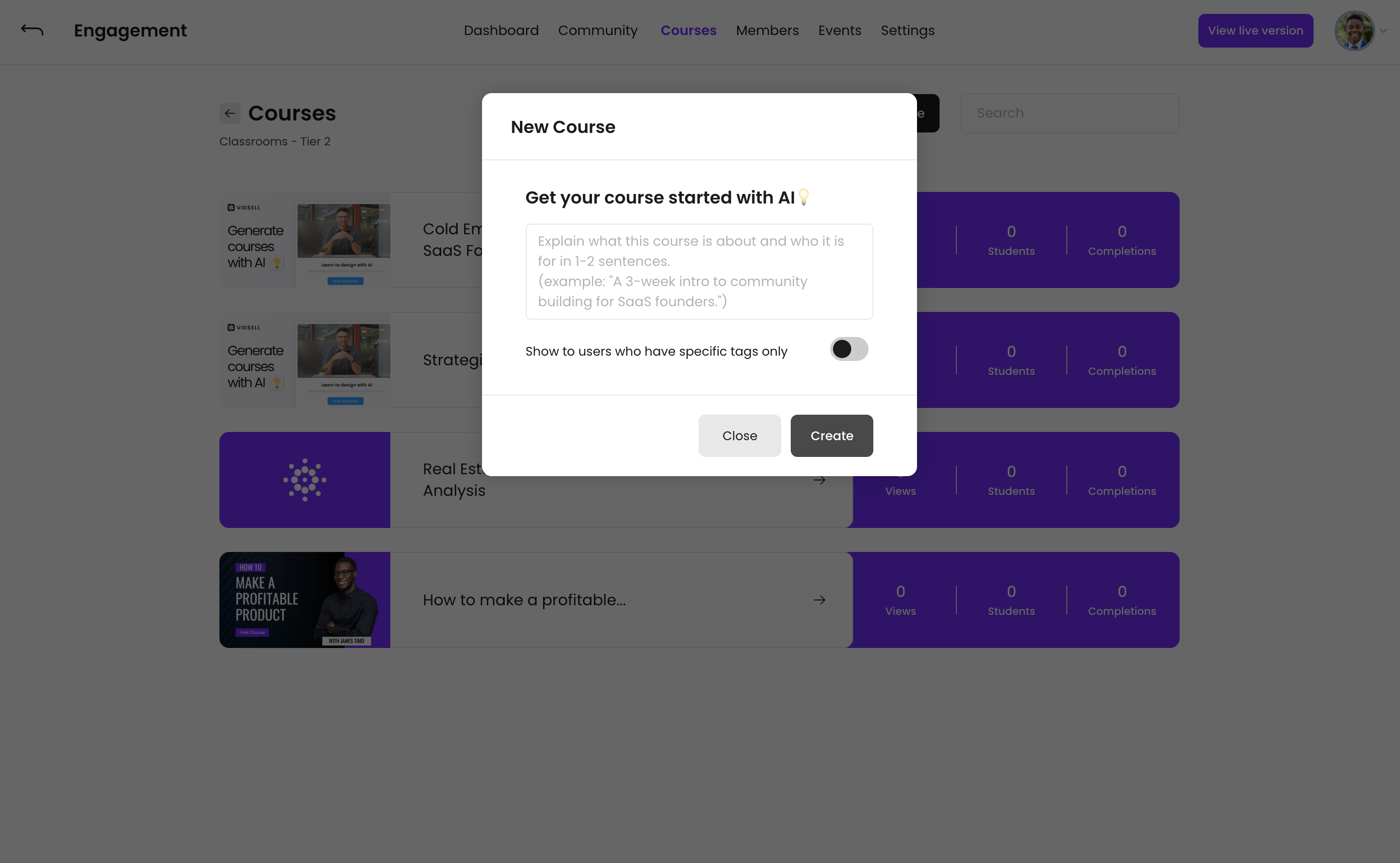
Inside the Classroom you'd like to add the course, click the "+ Course" button, and then choose the option "Generate with AI". You will then be asked to enter the prompt as a starting place for your course.
Prompting
Your course prompt should be a brief 1-2 sentence explanation of what your course will be about, and who it is for. An example could be "A 3 week intro to community building built for SaaS founders".
Course Visibility
You can choose to allow courses to "Show to users who have specific tags only" which allows you to only unlock courses after members have the proper access tags, whether through purchases with Flows, or other actions where you apply tags. This helps you segment your students, and give access only to those who you choose.
Course Content
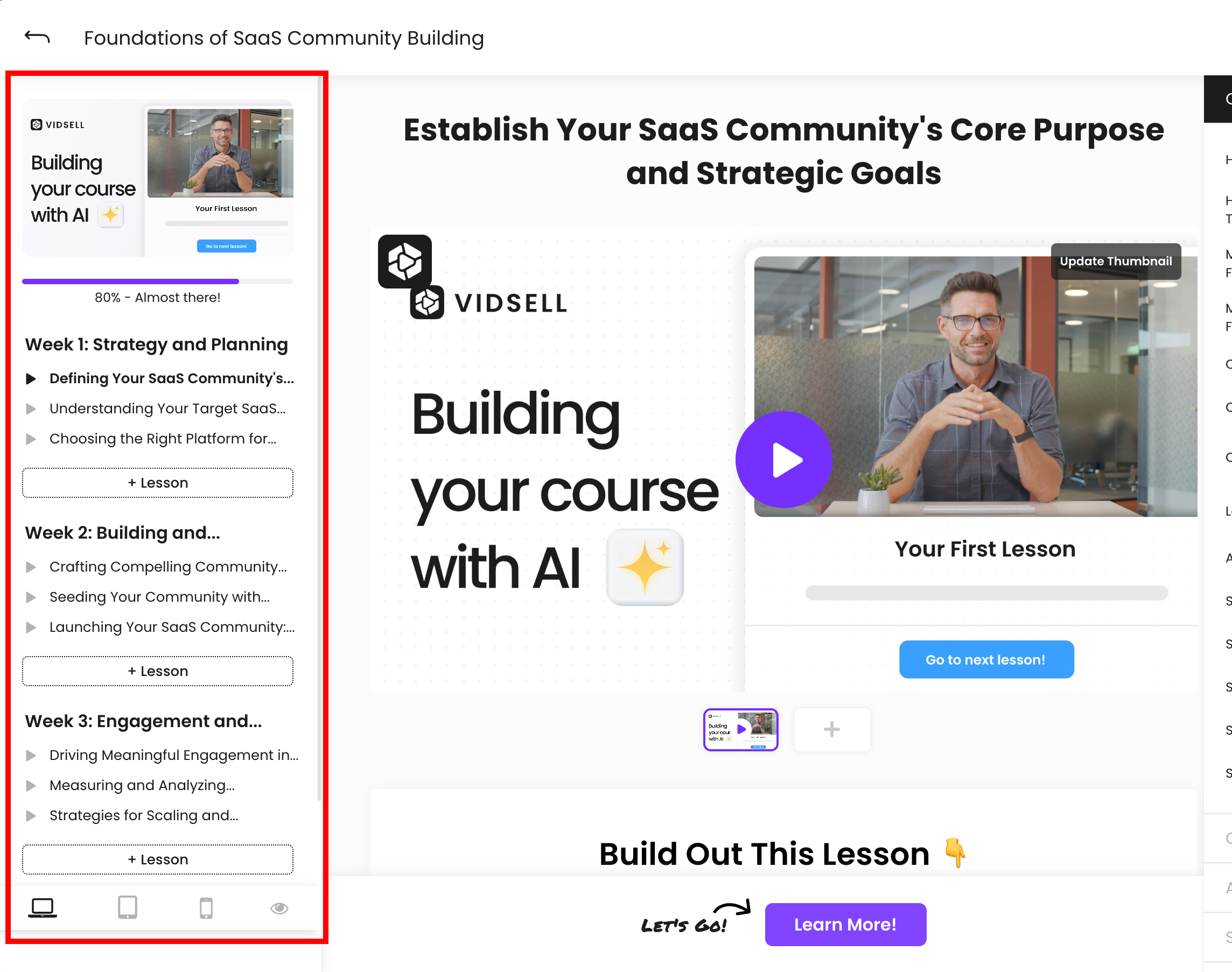
VidSell will automatically generate interlinked modules and lessons for your course, based upon your prompt.
Modules
Your course modules will automatically populate with content from your prompt. To edit a module title, simply hover over the module you'd like to edit, and click the pencil icon. From there you will see the following options:
- Module Name - Change the name of your module
- Progression Type - Dynamic progression is the default and allows your students to freely move from lesson to lesson in the order they would like. Linear progression means your students must complete the lessons within a module one after another in sequential order.
- Show to users who have specific tags only - Only show this module when a student has a specific tag. Can be used to "lock" modules until a student has completed a pervious module, or if they have paid access to see every module.
- Direct Access Link - This link will automatically apply any necessary tags to a student to see a module if the module is tag restricted.
Lessons
Your lessons contain multiple sections to help give you a starting place for your course content. VidSell will automatically generate a title for each lesson, and a bullet list of topic ideas of what you could potentially cover inside of the lesson when you go to build out your content.
Note: Ideas generated with AI are only suggestions as a starting place for your content. Be authentic and original with your content so that your work stands out in the marketplace ✅
CTA's
Each lesson is pre-linked with with CTA bar at the bottom of the screen. By default each CTA will link to the next lesson in the module, however you can easily change this within the CTA Settings area.
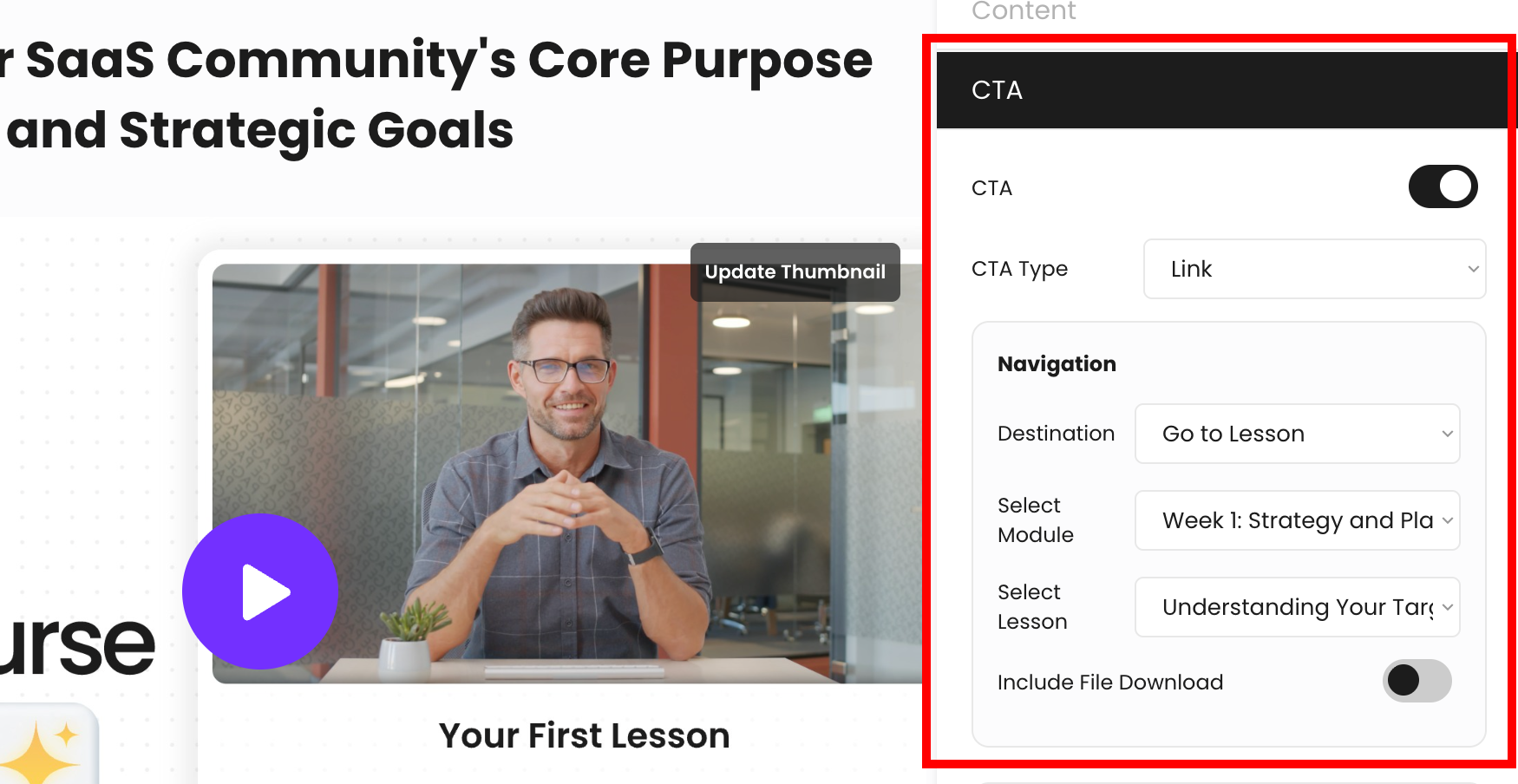
You can change the CTA to a dynamic lesson quiz, or choose no CTA. For more information on building out your courses see our related article Course Building.