VidSell includes many ways for you to customize your online communities and interact and connect with members inside.
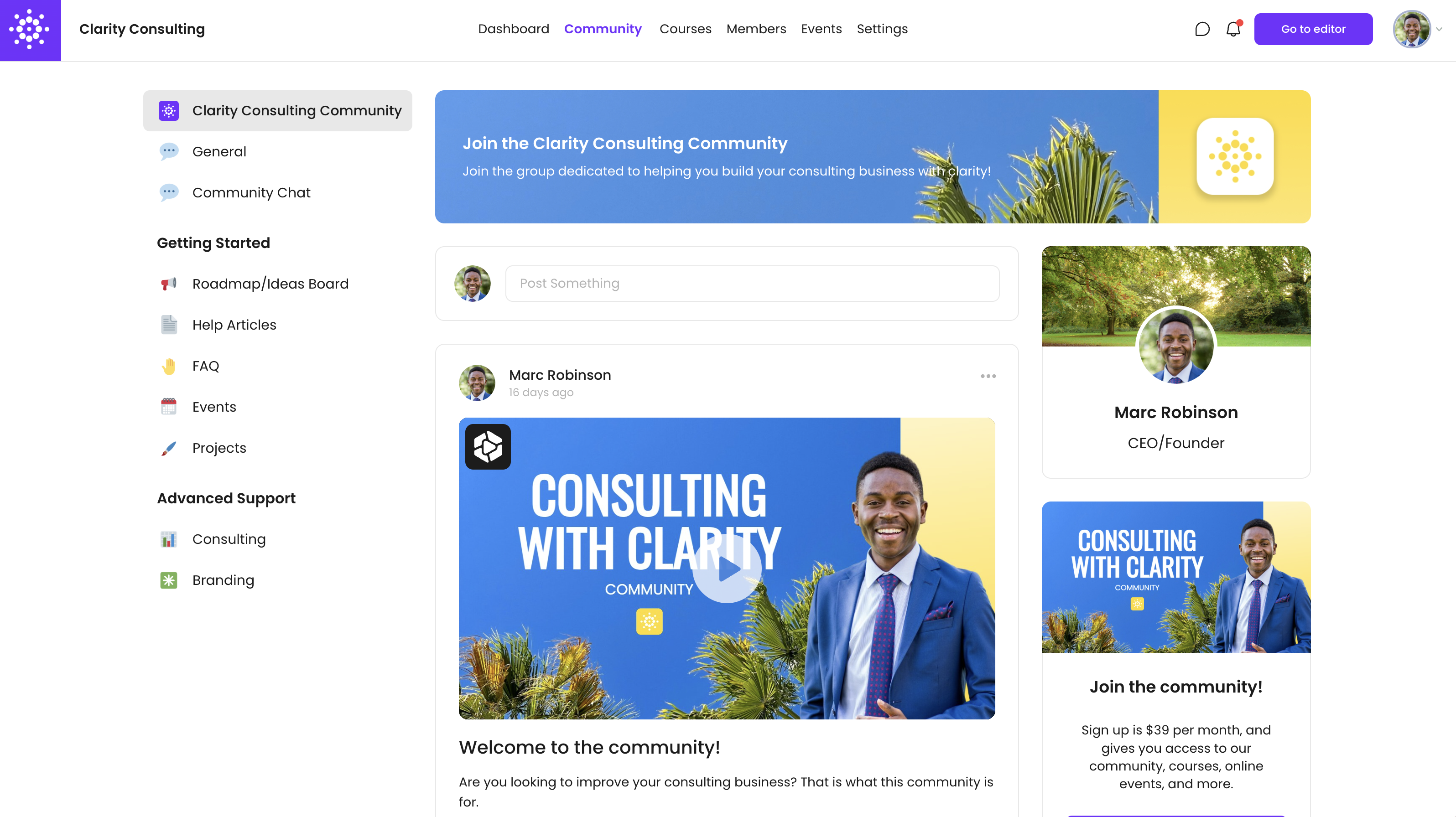
Space Customization
Space CTA's
Space CTA's are optional CTA areas on the right side of your space's main post area and can be customized for each space you create. These can be especially useful for cross-selling within your community using Flows, linking to events, courses, and more and can be customized on a per-space basis.
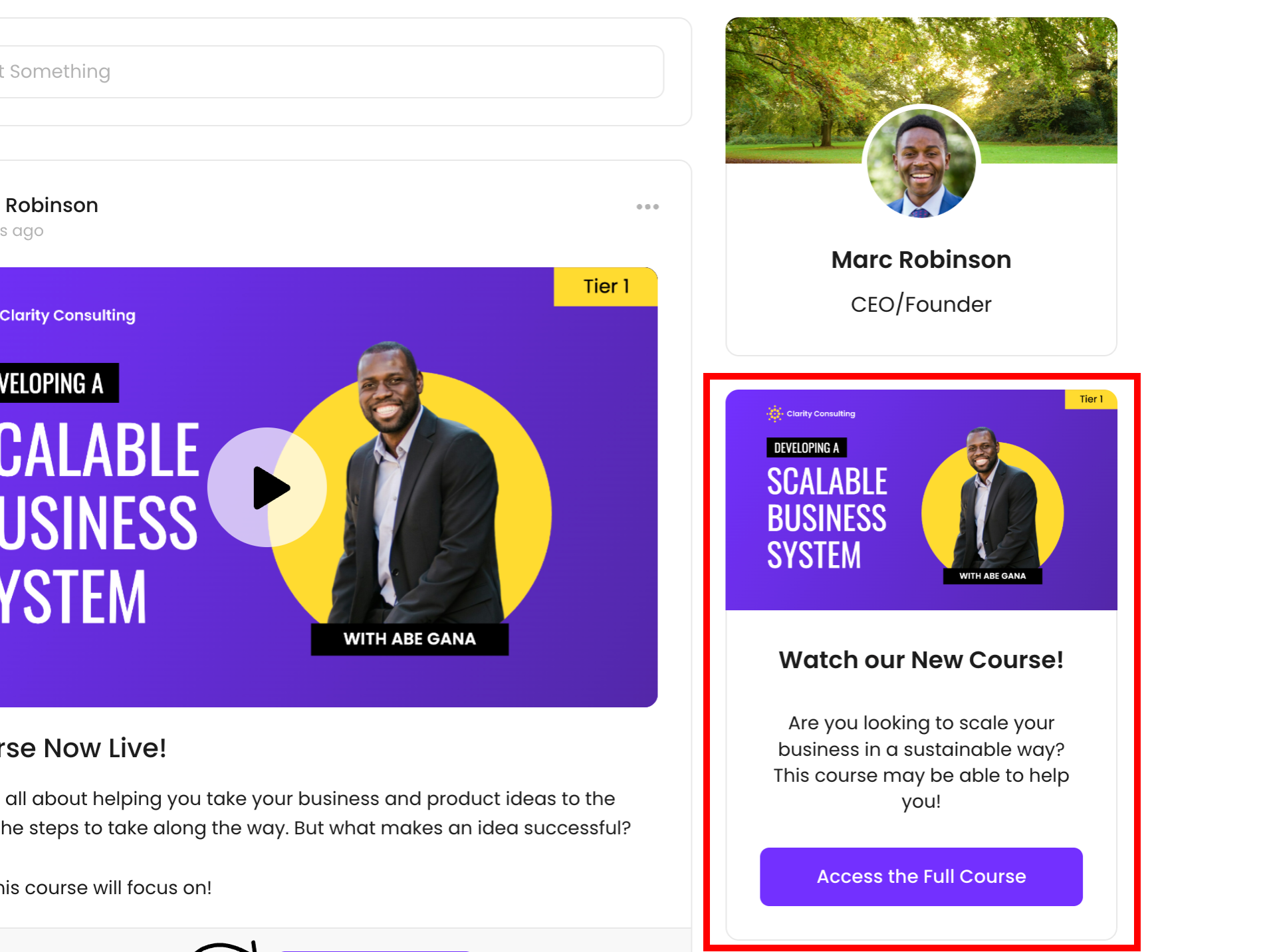
Space CTA's have the following available action options:
- Go to URL - Link to an external URL when the CTA button is clicked.
- Go to Flow/Step - Link to a specific Flow within the VidSell Flows Area.
- Go to Space - Link to a space within your community.
- Download a File - Allow your members to download a specific file when the CTA button is clicked.
- None - Remove the CTA button to make your Space CTA into a simple informational or message banner.
Note: As part of the right side bar menu, Space CTA's as well as your member profile areas are not visible on mobile, or in the community mobile PWA.
Space Banners
Your space banner gives you a way to style your spaces to fit your brand or community and share important information about your space.
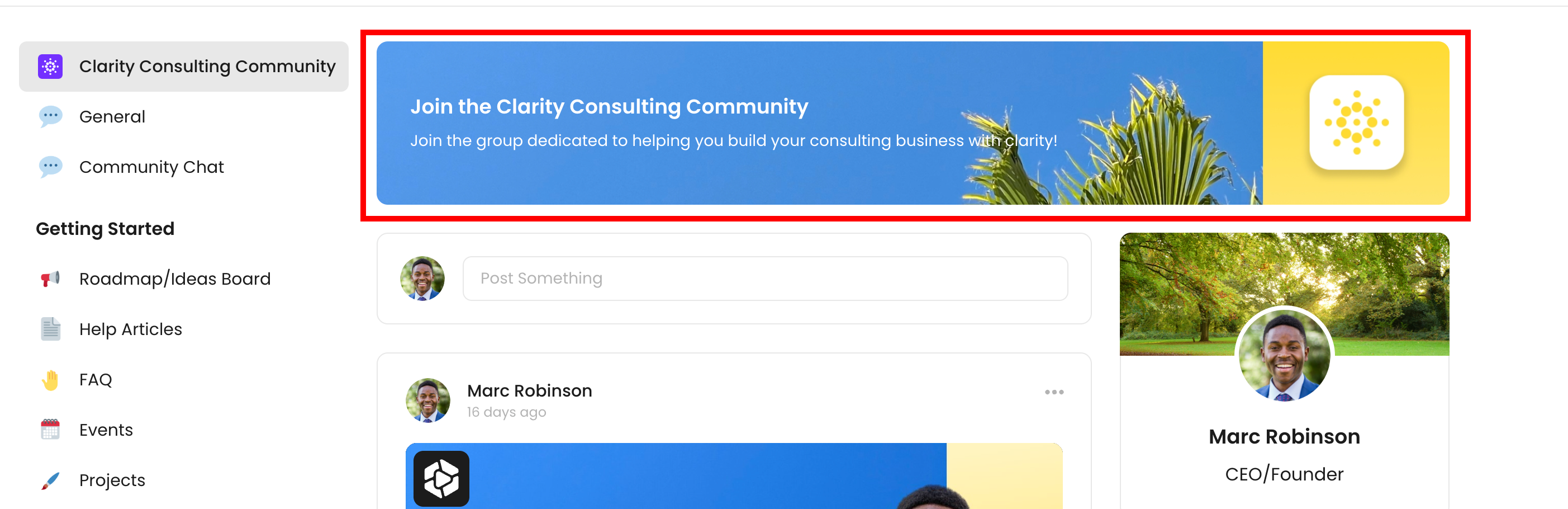
To style your banner you can choose from three background types including:
- Gradient - Generates a gradient background based upon your gradient colors set in your Community Style Settings.
- Video Link - Upload a custom banner video (widescreen format suggested for videos to be cropped in the center of your video)
- Upload Image - Upload a custom image banner for your space.
Notifications
There are a range of community notifications for both you and your members to get updated on the latest relevant activity within your community.
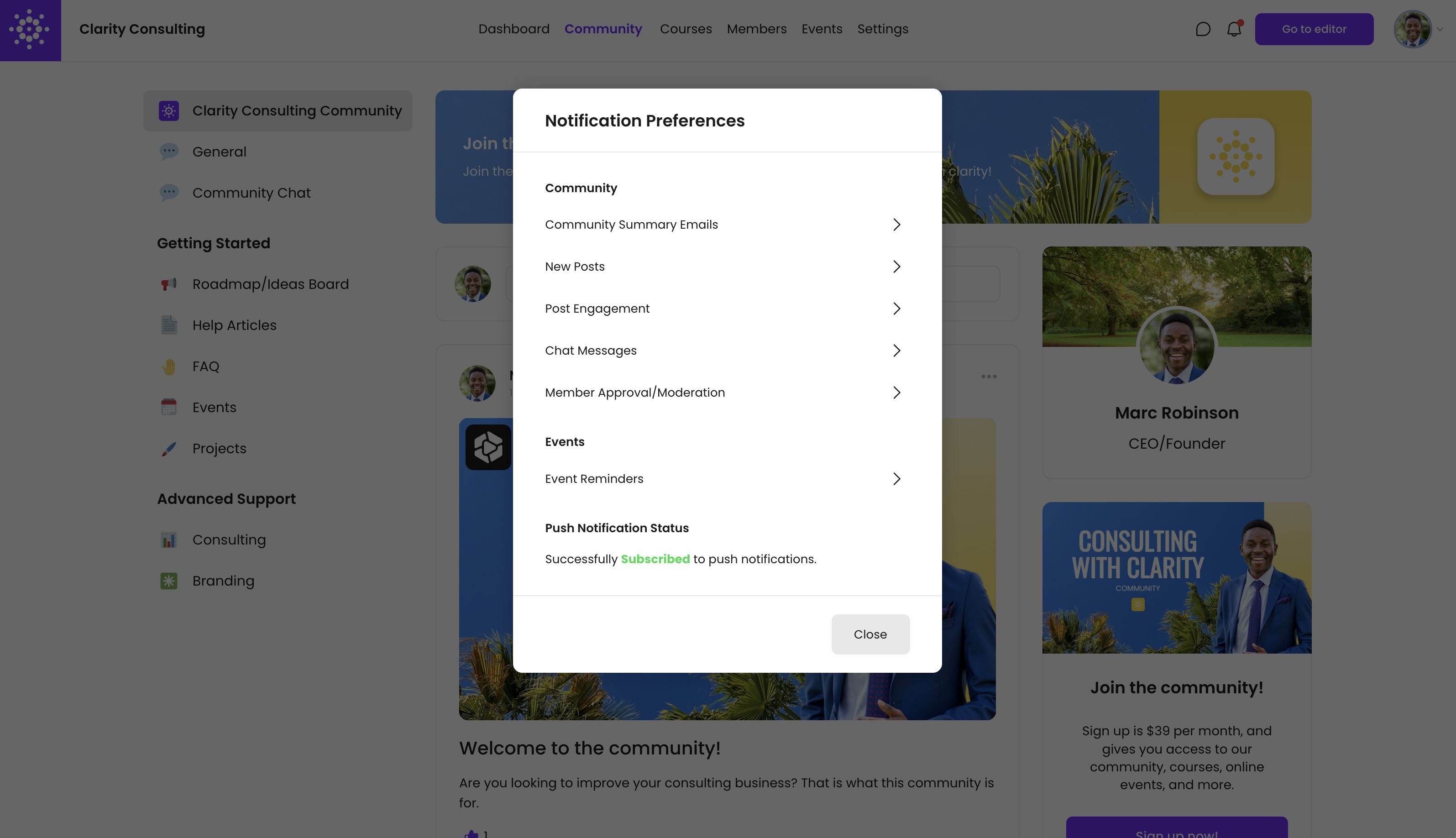
Notification Types
Notification Type | Push | Notification Center | |
Community Summary Emails* (Weekly or Monthly) | Yes | No | No |
New Posts (All or select spaces) | Yes | Yes | Yes |
Post Engagement | No | Yes | Yes |
Chat Messages | No | Yes | Yes |
Member Approval/Moderation (Moderators/Admins only) | Yes | No | No |
Event Reminders | Yes | Yes | Yes |
Note: Notifications marked with an (*) will only be available to team members (who have access to the Engage Editor) and not logged-in community members.
Push Notification Status
Choose to enable or disable push notifications within your browser.
Profiles
Member profiles give your members ways to connect, share relevant details about themselves, as well as important links to social channels and more.
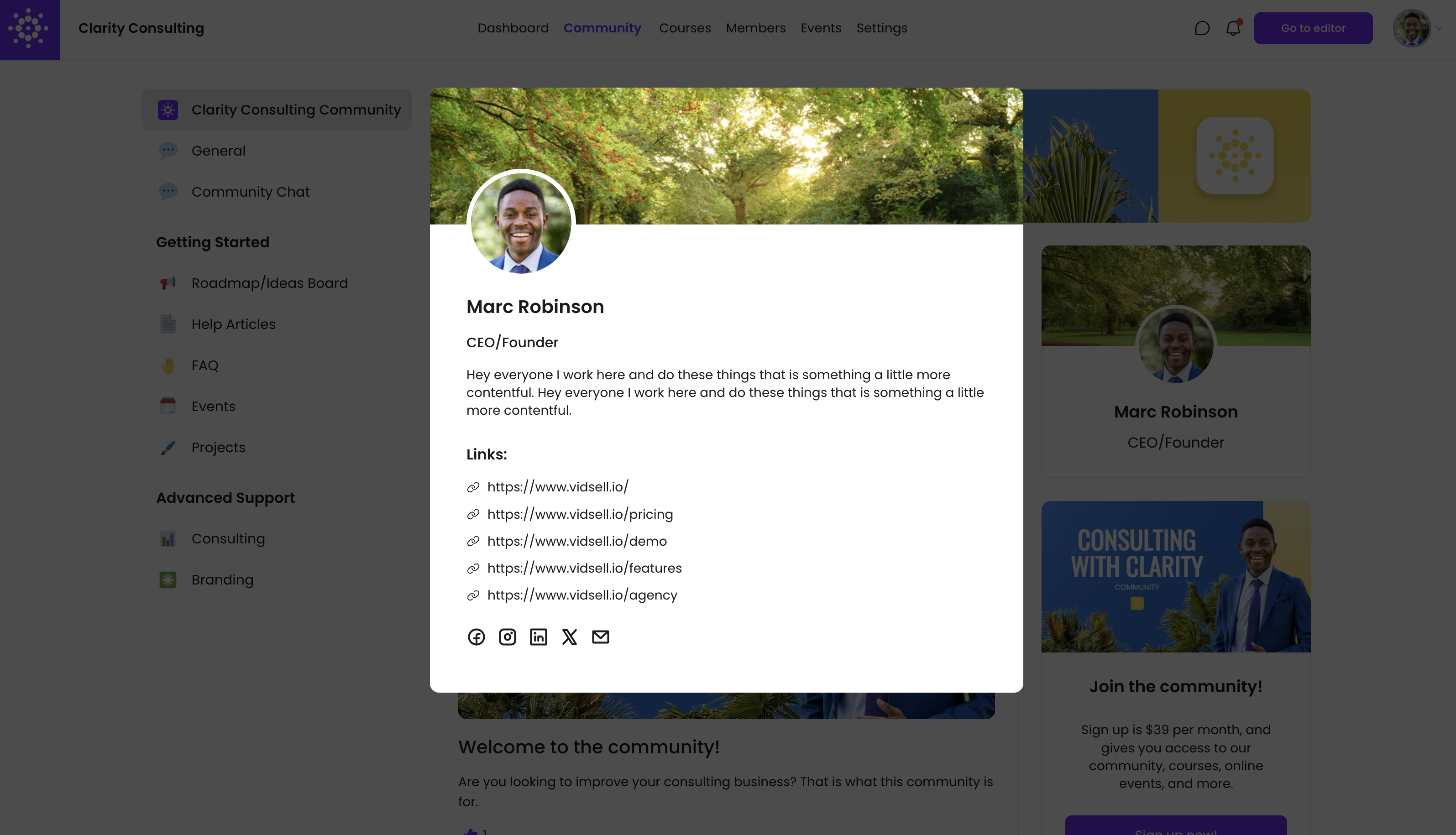
Profile Settings
- Name - Choose the name you would like to display on your profile
- Title - Choose a short description of your title or role
- Bio - Write a short bio to others to learn more about you
- Links - Share any relevant links like your website, company, etc.
- Social Media - Share links to your social media channels
Posts
Posts are the primary means of sharing ideas and content within your VidSell community.
Creating a New Post
If posts are enabled in your space, to create a new post, simply click "Post Something", enter a title and optional description for your post.
Post Media
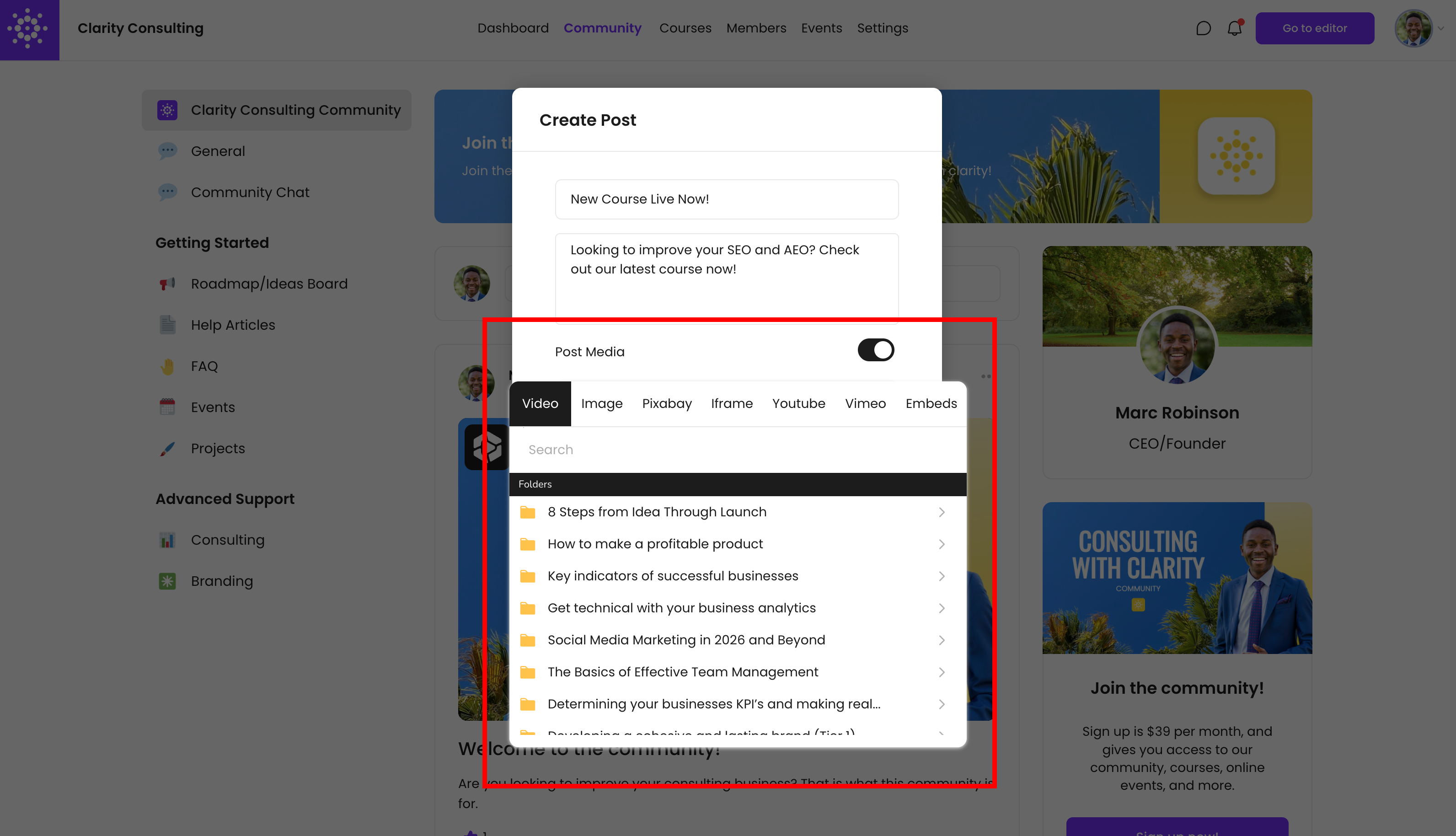
In addition to standard text posts, you can also upload a variety of media types to your posts as well including:
- Videos - Use videos organized into folders in the Videos Area inside of your community
- Image - Upload an image from your computer as support to your main video, or instead of a video
- Pixabay - Choose an image for your post from Pixabay
- Iframe - Allows you to embed iframed content into your post, and allow your iframe to be scaled
- YouTube - Enter a YouTube video URL directly into your post (for videos this option and Vimeo does not allow custom thumbnails like videos from the Videos area)
- Vimeo - Enter a Vimeo video URL directly into your post
- Embeds - Embed content into your post like forms or other media
Post CTA
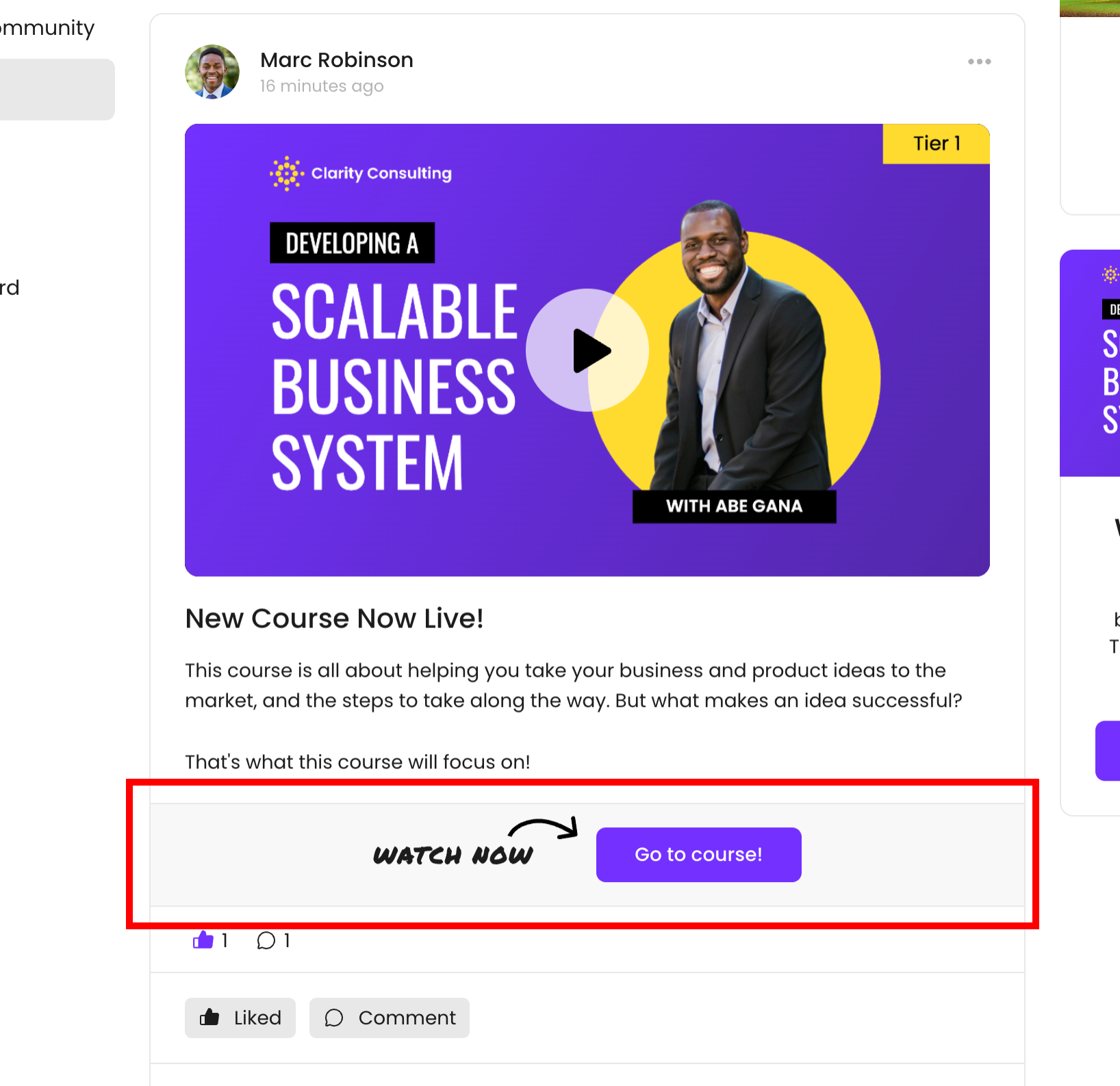
In-post CTA's allow you to create an engaging bottom CTA button directly on your posts. Customize your CTA with a customizable arrow CTA similar to Flows and custom button text. CTA actions are the same as Space CTA's.
Scheduling Posts
Community members can schedule posts for set dates and times
Post Announcements
Community admins or added workspace team members can create post announcements that send emails to those who have the notification enabled: New Post > Admin Post Announcement Emails.
Community Chats
There are multiple ways to chat within VidSell communities, from entire spaces with every member inside, to group chats with specific members, and individual chats.
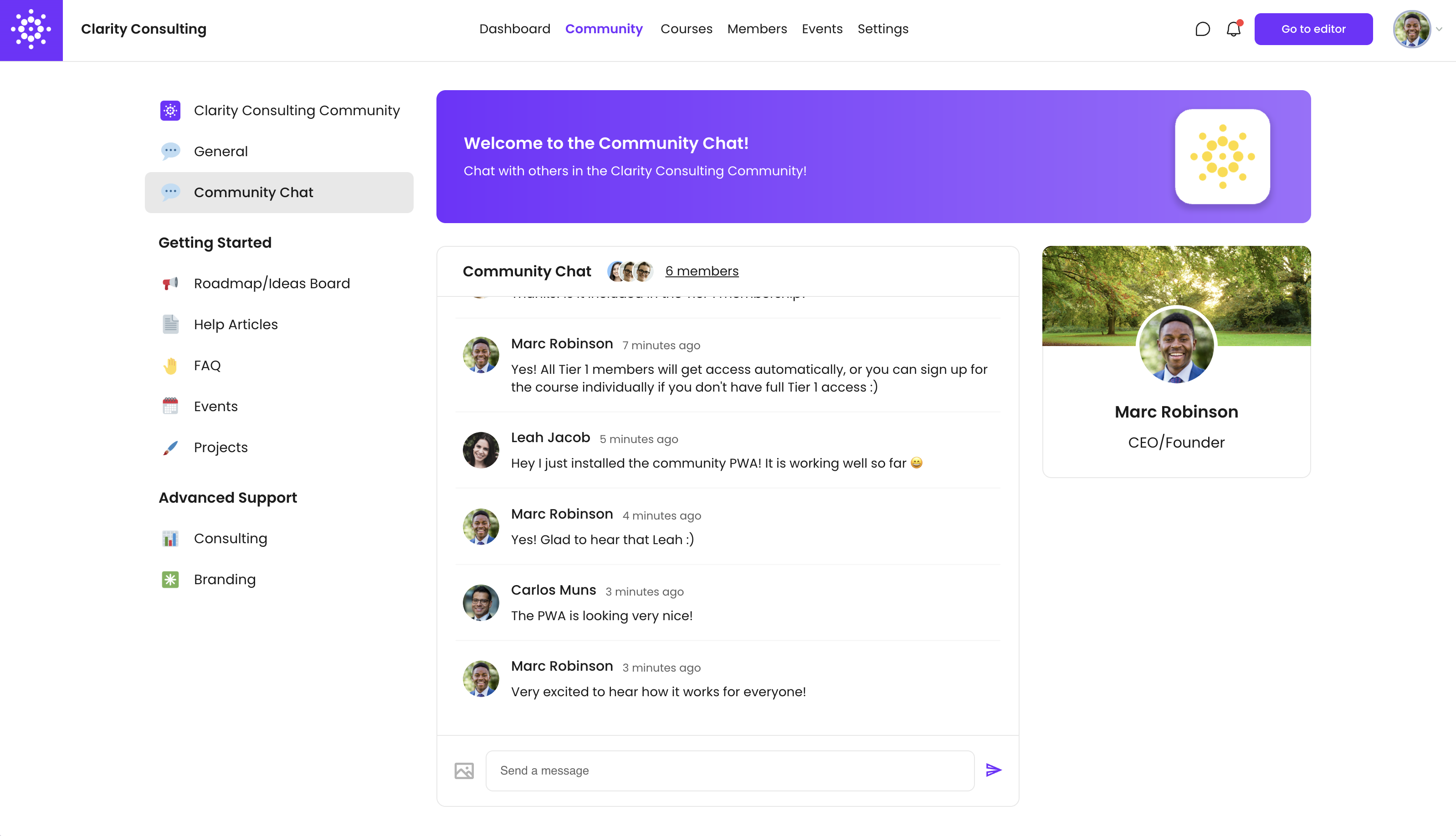
Chat Spaces
Chat spaces allow you to create entire spaces for chatting in an open channel-like space. This can involve every member of your community or only members who have access to that specific space for instances like premium subscription-based chat spaces.
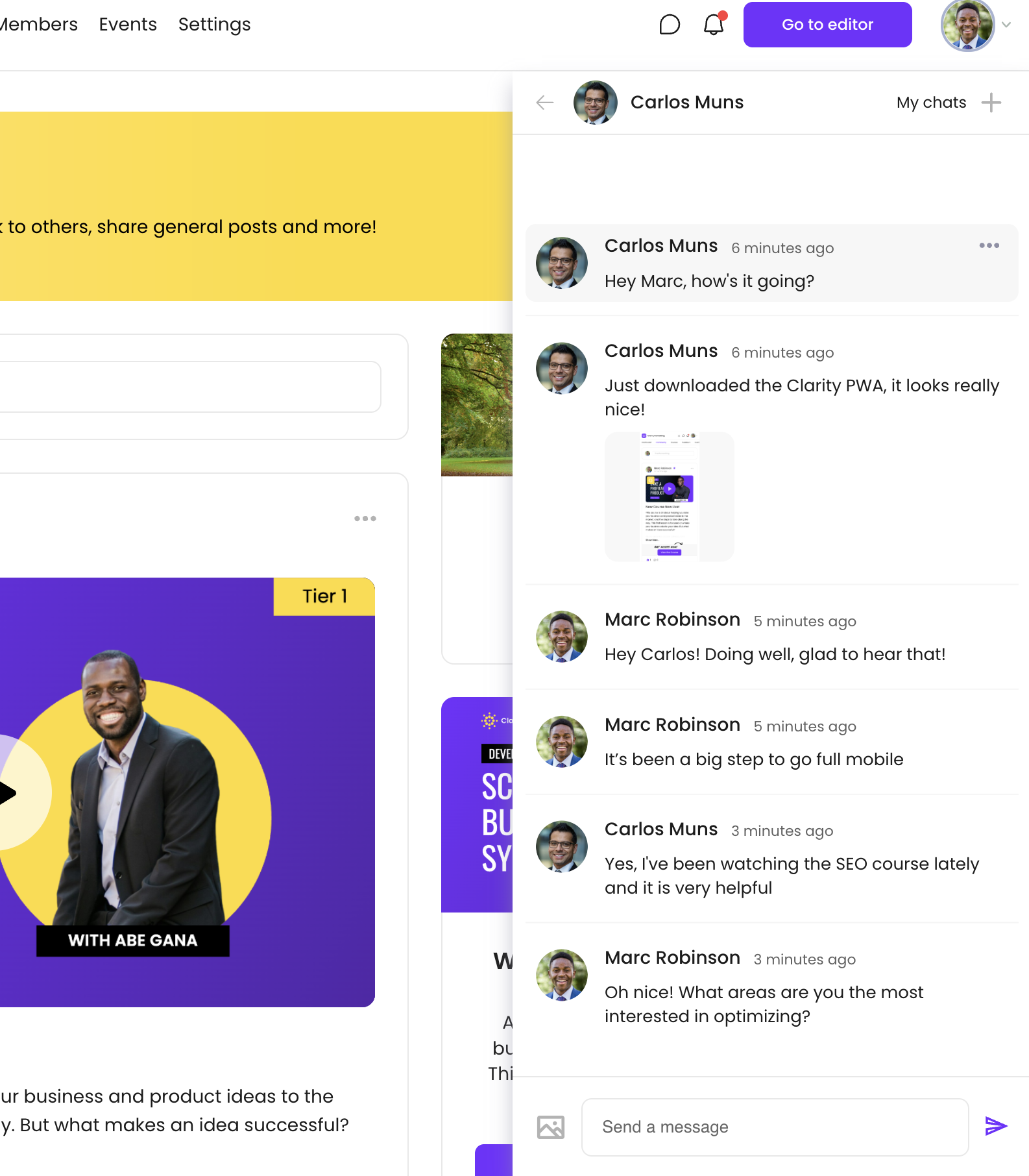
Individual Chats
Individual chats allow you and your community members to communicate and connect in a private one-on-one setting.
Group Chats
Group chats allow you and your members to create chats with multiple people for group-focused conversations and topics.
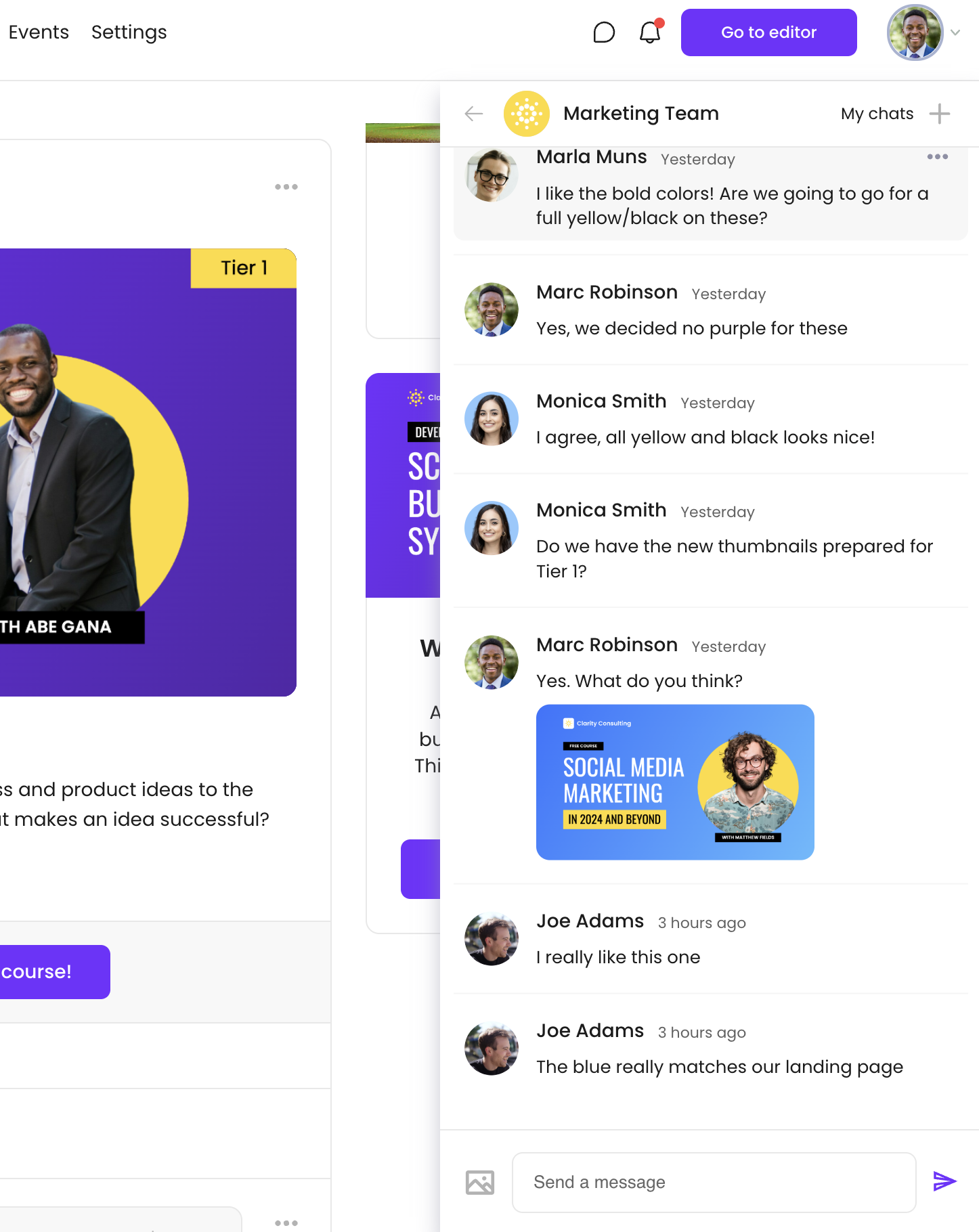
Note: When the respective permission is enabled in Community Settings, community admins are able to view and moderate private chats between members.
Enable Private Chat
Individual and group chats are enabled by default within your community settings, however these options can both be turned off as well by toggling off "Enable Private Chat".
Enable private chat between members
While "Enable Private Chat" turns on individual and group chats as a whole, another setting "Enable Private Chat Between Members" allows you to optionally turn on or off private chats only between members besides yourself or community admins.
This allows you, and your team members to message members directly without allowing for direct member-to-member messaging outside of your team's communication.